

Win, Plan, Build and Maintain, on one record of the job.
The quantities you price become the packages you let, the programme becomes the diary on site, and the job you hand over becomes the building you maintain.
 Illustration
Find the work and price it properly
Enquiries, measuring, pricing and the trades’ quotes, so the tender you send is one you can stand behind.
- Every enquiry and tender on one sales pipeline, with the client and the drawings
- Measure lengths, areas and counts straight off the PDF drawings, and send them to the bill
- Price the bill from your own rates and assemblies, with prelims, overheads and profit
- Split the job into trade packages and compare subcontractors’ quotes side by side
- Check the rate per square metre against your past jobs before the price goes out
Open any card for what it does and the features inside it.
CRMThe CRM is your sales pipeline. Every enquiry, every job you are quoting for and every job you are waiting to hear about sits here as a card, in a column for the stage it has reached.
ClientsClients is where you give a client their own login. They get a private portal where they can see how their job is going and collect their certificates and warranties.
ContactsContacts is the company's address book: clients, subcontractors, suppliers, consultants and your own team, in one searchable place. Everybody in the office sees the same list, so a phone number is never trapped in one person's mobile.
Bid ManagementBid Management is where you get the trades priced. You split the job into packages, such as groundworks, electrical and drylining, record each subcontractor's quote as it comes in, compare them side by side, and award the work.
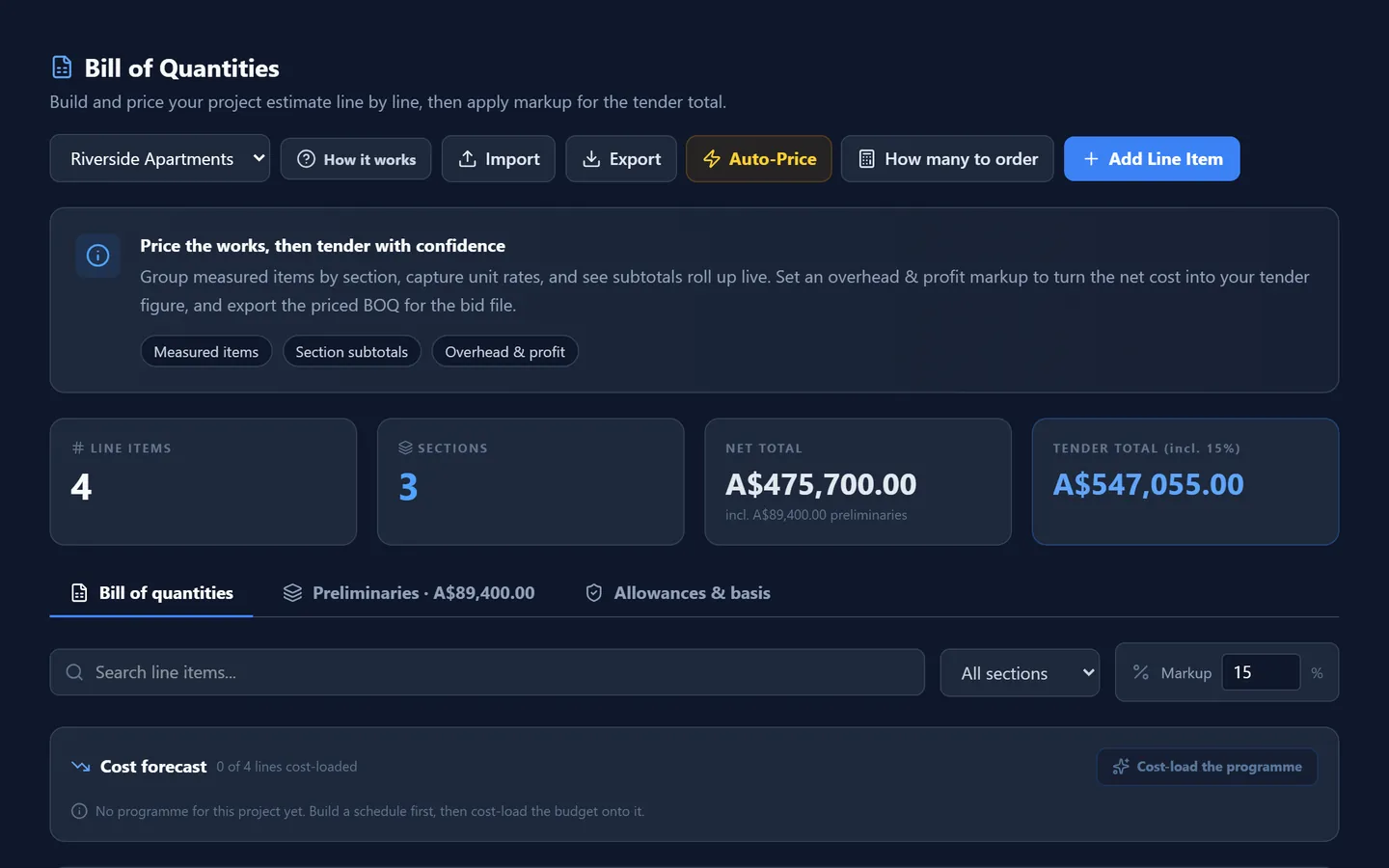
Estimating (BOQ)This is where a job is priced. The bill of quantities is the list of everything that has to be built, each line with a quantity and a rate. Add the cost of running the site, add your overheads and profit, add the allowances for what cannot be measured yet, and you have your tender.
Quick Estimate (AI)Quick Estimate gives you a first-pass price in seconds. Describe the job in a sentence or two, or upload a photograph of it, and Pinnqle drafts a bill of quantities with indicative rates.
PDF TakeoffPDF Takeoff is where you measure the job. You add the drawing set, set the scale, and then measure lengths, areas and volumes and count things, straight off the drawing on your screen.
BIM & CAD TakeoffWhen the designer gives you a 3D model instead of flat drawings, this is where you open it. You can walk round the building on your screen, look inside it, pick out one storey or one kind of element, and take the quantities straight from the model: how many of each thing and how much.
Revit & DWGDesigners work in Revit and AutoCAD. Until now a contractor needed those programs, and somebody trained to use them, just to open what they were sent. This screen opens Revit, DWG and DXF files as they are.
Cost DatabaseEvery time you price an item with the AI, the rate is kept here so the same item is instant next time. This screen shows you those rates, how sure the AI was of each, and how old they are.
Resource CatalogThe Resource Catalog is your company's own price list. Every material you buy, every trade you employ, every piece of plant you hire, each with the rate you actually pay.
AssembliesAn assembly is a recipe. A metre of partition is not one thing: it is studs, plasterboard, screws, tape, jointing and the labour to put it up. An assembly bundles those into a single rate that you build once and then drop into any bill.
Cost BenchmarksBefore a price goes out, experienced estimators do one last check. They divide the total by the floor area and ask whether that figure looks right for the kind of building.
AI Cost AdvisorThe AI Cost Advisor gives you a rate for a single item of work. You describe the item in words, give the unit, and it returns three rates: low, mid and high, with a label saying how confident it is.
ProjectsEverything in Pinnqle hangs off a project. The bill of quantities, the programme, the RFIs, the site diary, the payments: each belongs to a job. So the first real thing anybody does is create the project.
Project PlaybookThe Playbook is how a job is run, from the first look at a tender to the review after it is finished, written down as a checklist. It has eight stages.
ContractsThe contracts register holds the agreements a job runs on: the head contract with the client, and the subcontracts under it. For each one it records the terms that actually matter day to day: the value, the retention, the dates, the periods for payment, and the damages for finishing late.
 Illustration
Set the job up before anyone is on site
The contract, the drawings, the programme and the orders, so the job starts with everybody working from the same information.
- The contract checked against the tender, and estimating’s handover to the project team
- One drawing register that answers which revision to build from
- RFIs and submittals sent to the right person on the design team, with a date to answer by
- The programme, with the weather checked against the work booked for the week
- Packages let, subcontractors checked, and materials and plant ordered
Open any card for what it does and the features inside it.
Drawing RegisterThe Drawing Register answers one question that costs contractors a fortune when it is answered wrongly: which drawing do we build from? It lists every sheet on the job, every revision of each sheet, and its status.
Design TeamA question is only useful if it reaches the person who can answer it. The Design Team screen records who holds each discipline on the job: the architect, the structural engineer, the services engineer and the rest, with how to reach them, how quickly they have agreed to respond, and who covers when they are away.
SubmittalsBefore you order the windows or fabricate the steel, the design team has to approve what you intend to use. You send them the product data, the sample or the shop drawing, and they approve it, approve it with comments, or send it back.
RFIsAn RFI is a request for information: a formal question to the design team. The drawing does not say which fixing to use, or two drawings disagree, and work cannot go on until somebody answers.
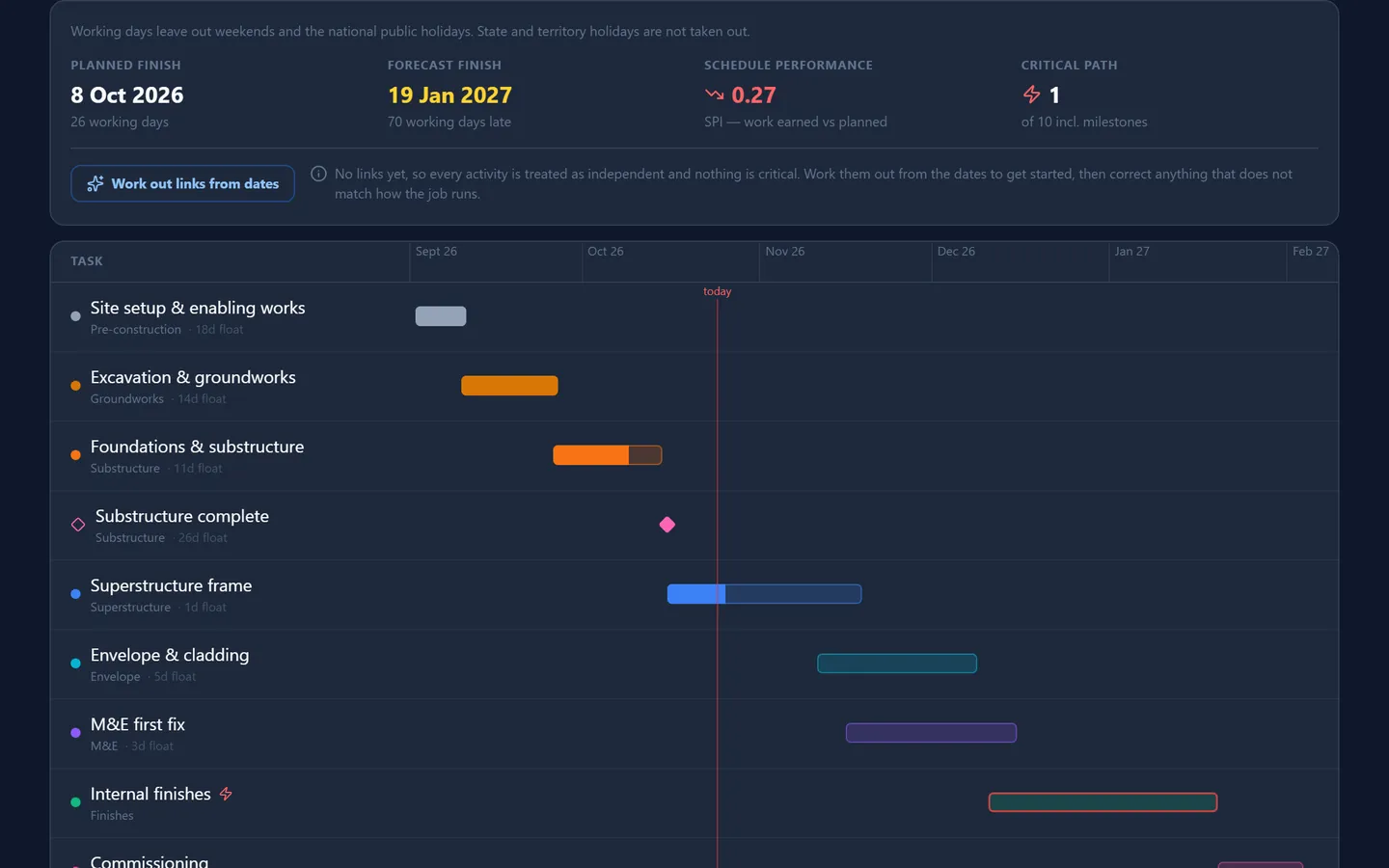
ScheduleThe Schedule is the plan for when the building work happens. You list the activities, give each its dates, and say which ones wait on which.
4D – 5D SequenceThis screen plays the job like a film. You tie each storey of the 3D model to the activity on the programme that builds it, and then watch the building go up week by week, with the planned cost beside it.
Risk RegisterA risk is something that has not happened yet, and might. Bad ground. A long delivery time. A neighbour who will not agree access. The risk register is the list of those things for a job.
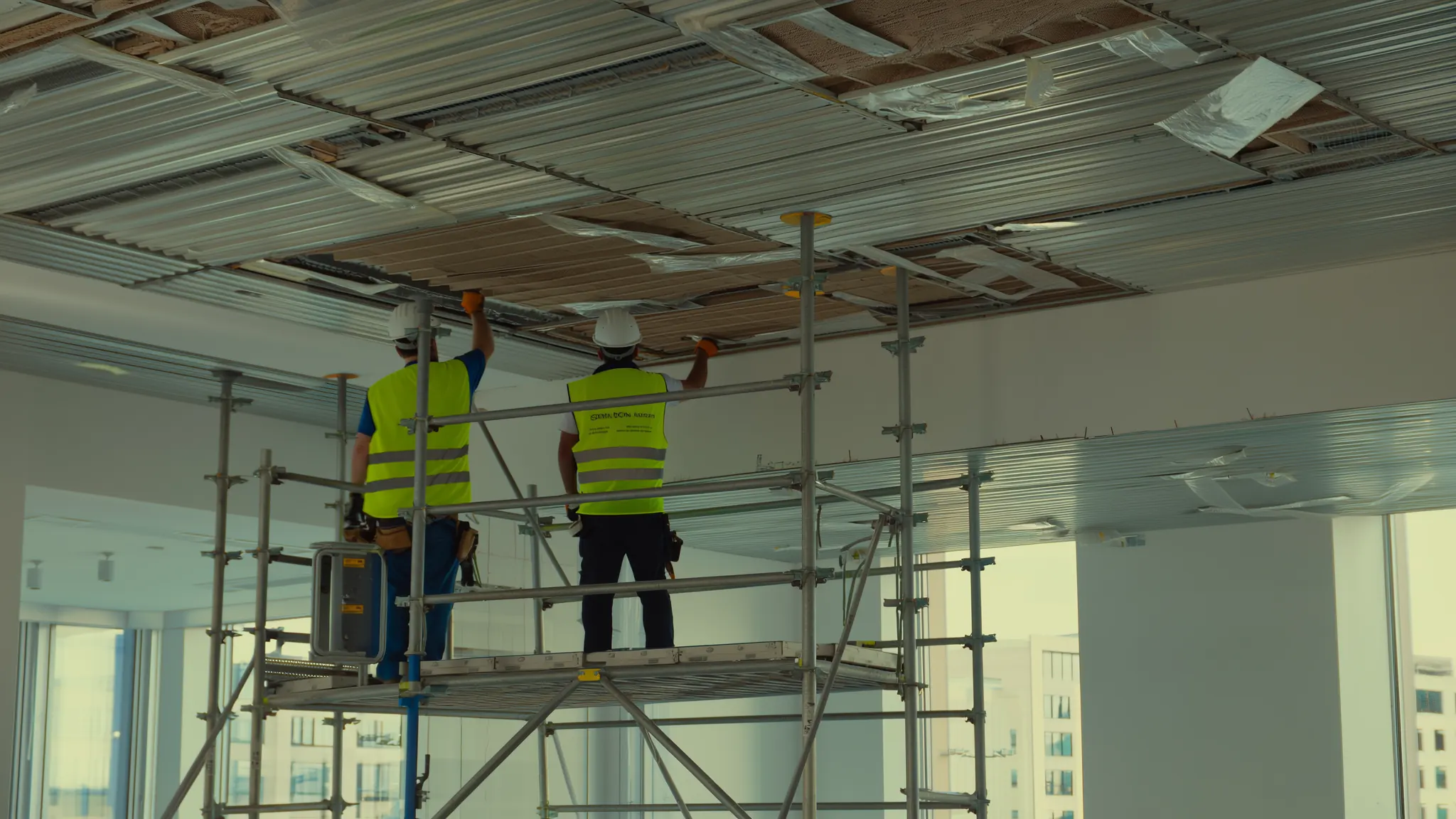
WeatherThis screen shows the weather for the next seven days at every live site, and, more usefully, it checks that weather against the work your programme has booked for those days.
ProcurementProcurement is where the job's money is committed. Most of what a job costs is paid to subcontractors and suppliers, so this is the screen that decides whether you make a profit.
MaterialsMaterials is where you keep track of what you have bought, where it is, and what it cost. Stock in your yard, stock sent to each site, the orders and invoices behind it, and your suppliers' price lists.
EquipmentEquipment keeps track of your tools and plant: what you own and where it is, what you have on hire and when it is due back, and whether each machine has been checked before use and serviced on time.
 Illustration
Run the site and keep the money straight
What happened on site, that it was safe and built right, and what the job is owed, recorded as it happens.
- Sign-in at the gate by QR code, permits and deliveries, from the site manager’s phone
- Site diaries, toolbox talks, inspections and the punch list, with photos
- Every variation recorded and valued, and every delay noticed in time
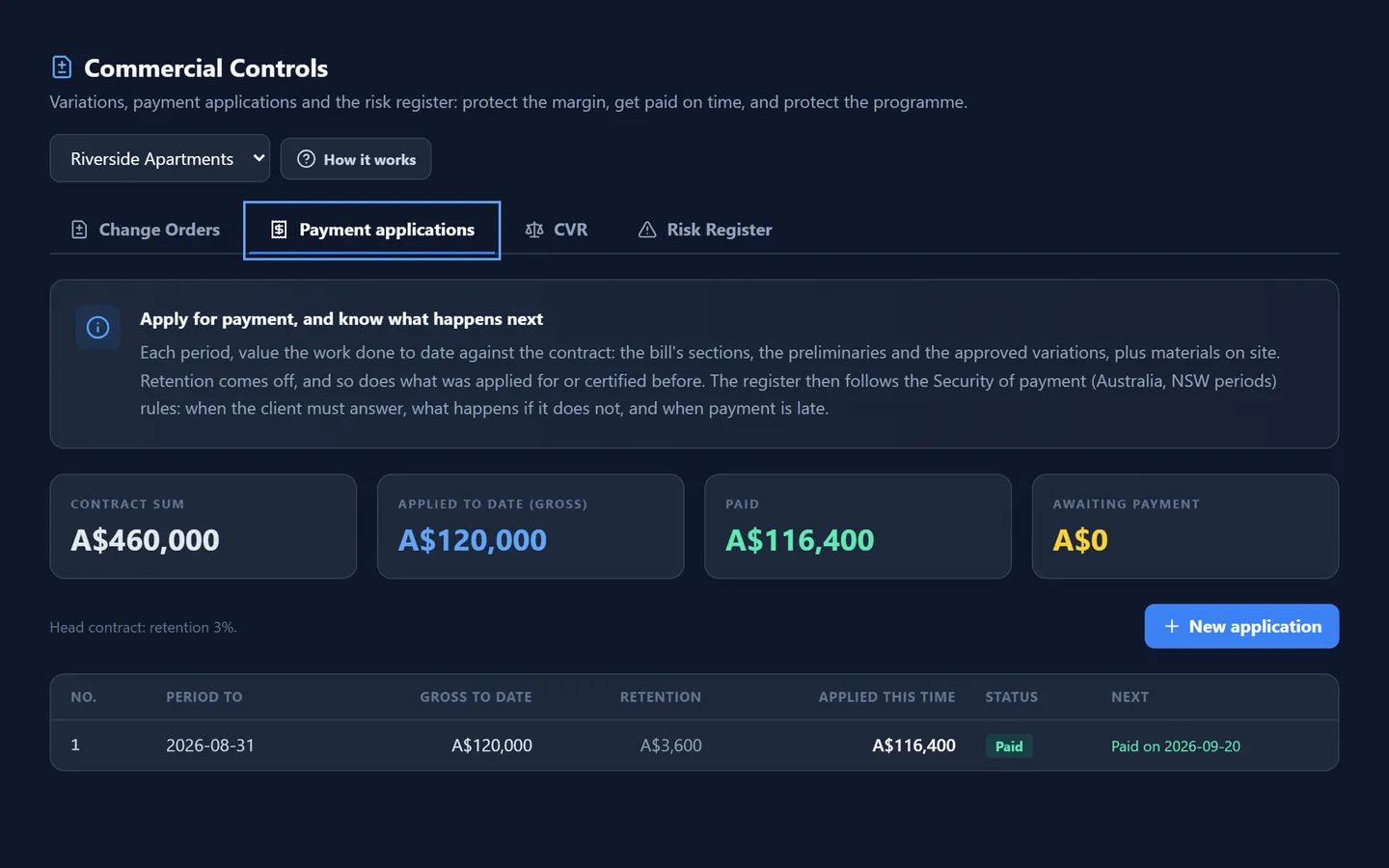
- Payment claims each period, with the payment schedule due date worked out under Security of Payment
- Subcontractors’ claims valued, and the handover documents collected before the last payment
Open any card for what it does and the features inside it.
Commercial ControlsCommercial Controls is where a job's money is managed once the contract is signed. It does three things. It records every change to the work and what it is worth.
Delays & EOTWhen something delays the job that is not your doing, the contract usually gives you more time, and sometimes money. But almost every contract says you must give notice within a set number of days, or you lose the right.
FinancesFinances is the company's money in one place. It is where you raise invoices to clients, see what has been paid and what is owed, watch the cash, and see for each job what has come in against what has gone out.
CorrespondenceCorrespondence is the register of every formal letter, notice, email and memo on a job, in and out, with its date. Beside it is the phone log, which puts spoken instructions on the record.
MeetingsMeetings is where you schedule a project meeting, record what was decided, and turn the discussion into actions. Each action has an owner and a date. A meeting with no actions written down has to be held again.
Document AnalyticsDocument Analytics is where you keep your contracts, insurance certificates, permits and agreements, and where the AI Legal Assistant reads them for you.
App IntegrationsApp Integrations is where you connect Pinnqle to the other software your company already uses: your email, your accounts package, your calendar, your team chat. Each app is a card.
WIP BoardThe WIP Board is where you plan the week. WIP means work in progress. For each week of the job you say which teams are working, who is in each team, where they are, and what tasks they have promised to finish.
TasksTasks is the company's to-do list. Every job that somebody has to do, that is not already a line on a programme or a form somewhere else, lives here: order the materials, chase the engineer, book the skip.
AnalyticsAnalytics is one page of figures and charts drawn from records you already keep. The value of your estimates, by section and by job. Your bid packages and how many were awarded.
Project AgentsProject Agents are five AI specialists, each for one part of running a job. A site manager, an estimator, a commercial manager, a health, safety and quality adviser, and a planner.
AI Site ManagerThe AI Site Manager is a chat. You type a question about how the company is running today, and it answers from a summary of your records: your tasks, your materials and what is running low, your people and their hours, your projects and what they have spent, and your invoices.
Site ManagerSite Manager is the screen for the person running the site, built to be used on a phone, standing at the gate. It answers the questions a site manager is asked every morning.
Site DiaryThe site diary is a dated record of each day on site: the weather, who was there, what work was done, what held you up, and who visited. It takes five minutes a day.
Field ReportsA field report is the formal record of a day on site, on a set form, signed, and approved by somebody senior. It records the weather, how many of each trade were there and for how many hours, the equipment, the materials, the work performed, the delays, any safety incident, and who visited.
Field OperationsField Operations is the day-to-day record of the job. It has four parts: the punch list, the site diary, the photographs and your site forms.
Health & SafetyHealth and Safety is the register of everything that went wrong, or nearly did, on your sites. Injuries, near misses, damage to property, spills. Each one is reported with what happened, where, how serious it was, and what was done.
HSE ManagementHSE Management is the formal side of site safety. HSE means health, safety and environment. The Health and Safety screen records that something happened. This screen is what you do about it, and what you do to stop it happening at all.
Toolbox TalksA toolbox talk is a short safety briefing given to the gang before they start work. Ten minutes, standing up, about the hazards of the job in front of them.
QualityQuality is where you record each inspection of the work: what was looked at, who looked, whether it passed, what was found, and what is being done about it. Its job is to show that the work was checked before it was covered up, and that anything wrong was put right.
Inspection PlansAn inspection and test plan, an ITP, is the list of checks a piece of work must pass, written before the work starts. For each check it says what is looked at, what good looks like, who must look, and how much notice they need.
NCRsNCR stands for non-conformance report. You raise one when work does not meet the drawings or the specification: concrete that tested below strength, the wrong board in a fire-rated wall, steel out of tolerance.
ESGESG stands for environmental, social and governance. On a building site it mostly means four numbers: the carbon you emit, the waste you produce, the energy you use and the water you use.
CloseoutCloseout is the last stage of a job: handing the finished building to the client. The building is the easy part. What holds up a handover, and the last payment with it, is the paperwork: the manuals, the certificates, the as-built drawings, the warranties, the training.
ArchivesArchives is where finished things go. A project that is complete. A client you no longer work for. Archiving takes them out of your everyday lists, so those stay short, and keeps the record.
 Illustration
Look after the building once it is handed over
The equipment, the servicing, the certificates the law requires and the repairs, for buildings you built and buildings you were asked to look after.
- Link a building to the job that built it, and its history comes into the defects period with it
- Every piece of equipment on one register, with its next service worked out from its interval
- Statutory inspections on their own clocks: annual fire safety statements, essential safety measures, fire systems, electrical and lift inspections
- Faults reported, prioritised against the contract’s response times, and sent to an engineer’s phone
- A portal where the client sees their building, its certificates and what has been done
Open any card for what it does and the features inside it.
BuildingsThe Facilities group is about what comes after: looking after a building once it is in use. A Building is the record that everything else hangs from: its rooms, its tenants, its defects, its equipment, its warranties, its maintenance contract and its statutory certificates.
Building DashboardThe Building Dashboard is one page for one building. It gives the building a health score out of a hundred, eight figures on its maintenance, compliance, defects and jobs, a list of what needs attention, and a snapshot of its statutory compliance.
Asset RegisterThe Asset Register lists every piece of equipment you look after, across every building, in one place. Boilers, lifts, fire alarms, air handling units, roofs. For each it shows when its next service is due and whether it is overdue.
MaintenanceMaintenance is where you see everything that has to be serviced across your buildings, and when. It takes each asset's service interval and the date it was last done, works out when it is next due, and lays it all out: what is overdue, what is due this week, what is due this month.
Maintenance CalendarThe Maintenance Calendar shows a month at a time, with every service that falls due marked on its day. Planned maintenance on equipment is in blue. Facilities services, such as cleaning and grounds, are in purple.
PPM ScheduleThe PPM Schedule is the working list for planned maintenance. Every asset that has a service interval is on it, sorted into five groups by how soon it is due: overdue, due this week, due this month, the next three months, and later.
FM ServicesFM stands for facilities management: the services that keep a building running day to day. Cleaning. Grounds maintenance. Security. Waste collection. Window cleaning.
Work OrdersA work order is an instruction to do a piece of maintenance work: service this boiler, fix that leak. This screen is the board for all of them. Each job is a card.
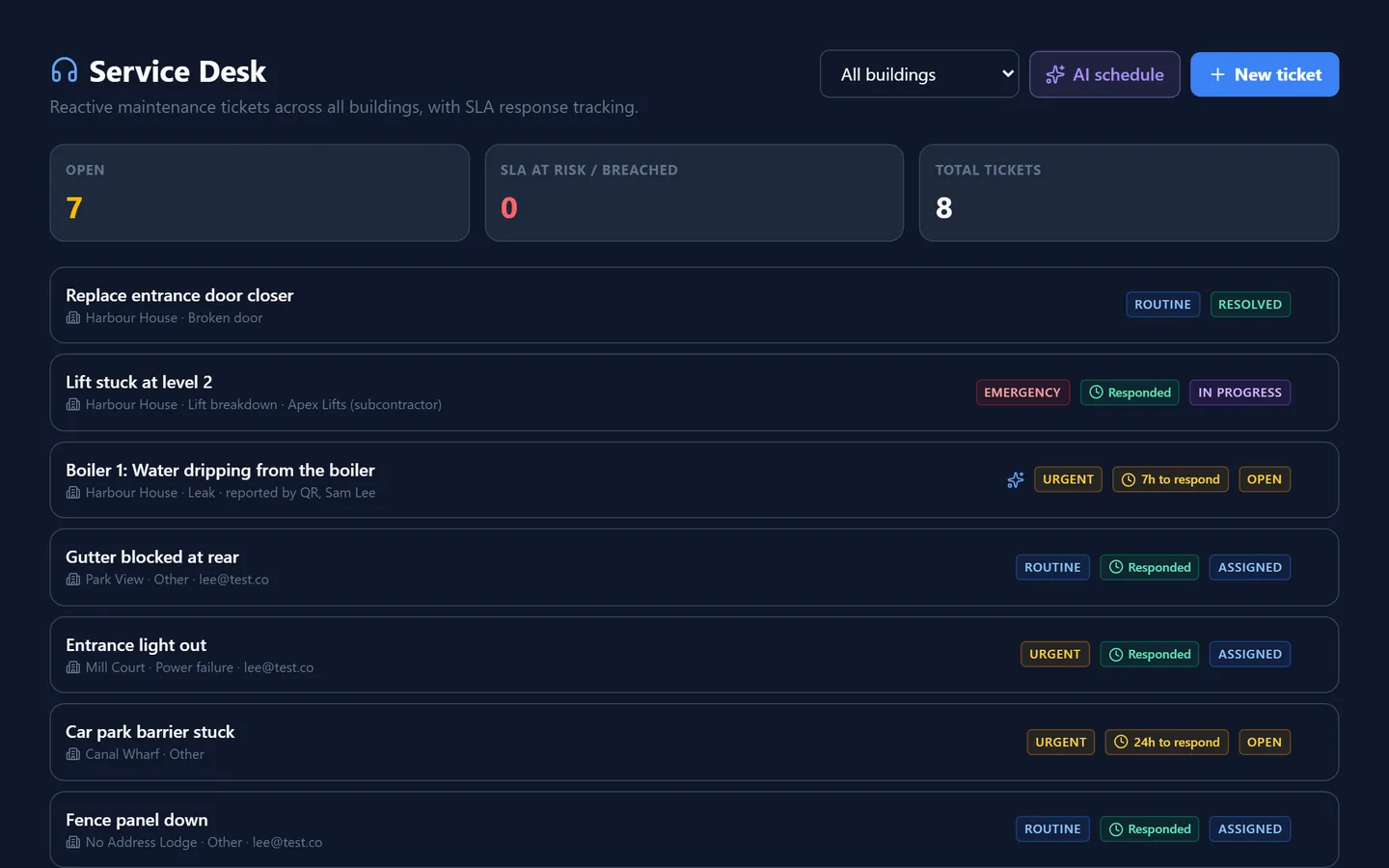
Service DeskThe Service Desk is where faults are reported and dealt with. A tenant rings to say the heating is off. A caretaker reports a leak. Each becomes a ticket, with a priority and a time by which you must respond.
ComplianceCompliance is the list of inspections and tests that the law requires a building to have, each on its own clock. A fire risk assessment. A gas safety check. An electrical inspection.
InspectionsA routine inspection is a visit to a rented home every few months to see that it is being looked after and that nothing needs fixing.
EngineerThe Engineer screen is the app the maintenance engineer uses on site, on their phone. It is their job list. They open a job, see where to go and what to do, record what they did, how long it took, what parts they used, take photographs, and get the customer's signature.
AI IntelligenceAI Intelligence looks at one building and tries to tell you what is coming. It gives the building a health score. It lists the equipment most likely to fail, with a likelihood and a time window.
Building PassportThe Building Passport brings everything known about one building onto a single page, and exports it as one document. Its identity. Its equipment. Its statutory certificates.
ClientsThis screen lists the clients who have a building shared with them. A client like that can sign in to their own portal and see their building for themselves: its certificates, its compliance and what has been done to it.
ReportingReporting turns the Facilities records into tables you can hand to somebody else: a client, your board, an auditor, an insurer. There are four reports. Compliance.
Assets & PPM ReportThe Assets and PPM Report lists every piece of equipment you look after, one row each, with how often it is serviced, when it was last serviced, when it is next due, whether it is overdue, and what it would cost to replace.
Work Orders ReportThe Work Orders Report lists every maintenance job, one row each. Planned and reactive. Open and closed. For each it shows the building, what the job was, where it came from, its priority, its stage, who it is with, when it was raised, and when a response was due.
Workforce ReportThe Workforce Report lists everybody in your team, one row each, with their trade, the site they are assigned to, their hours for the current period, their rate, and what that comes to.
And the company behind the jobs
The whole company on one screen, the people and their pay, and the money in and out of every job.
- An overview of every live job: what it is worth, what is overdue, where the money stands
- Hours from timesheets become pay, and pay becomes cost on the job
- Invoices to clients and what is owed, with GST and your accounts package connected
- Who can log in, and which screens each person can open
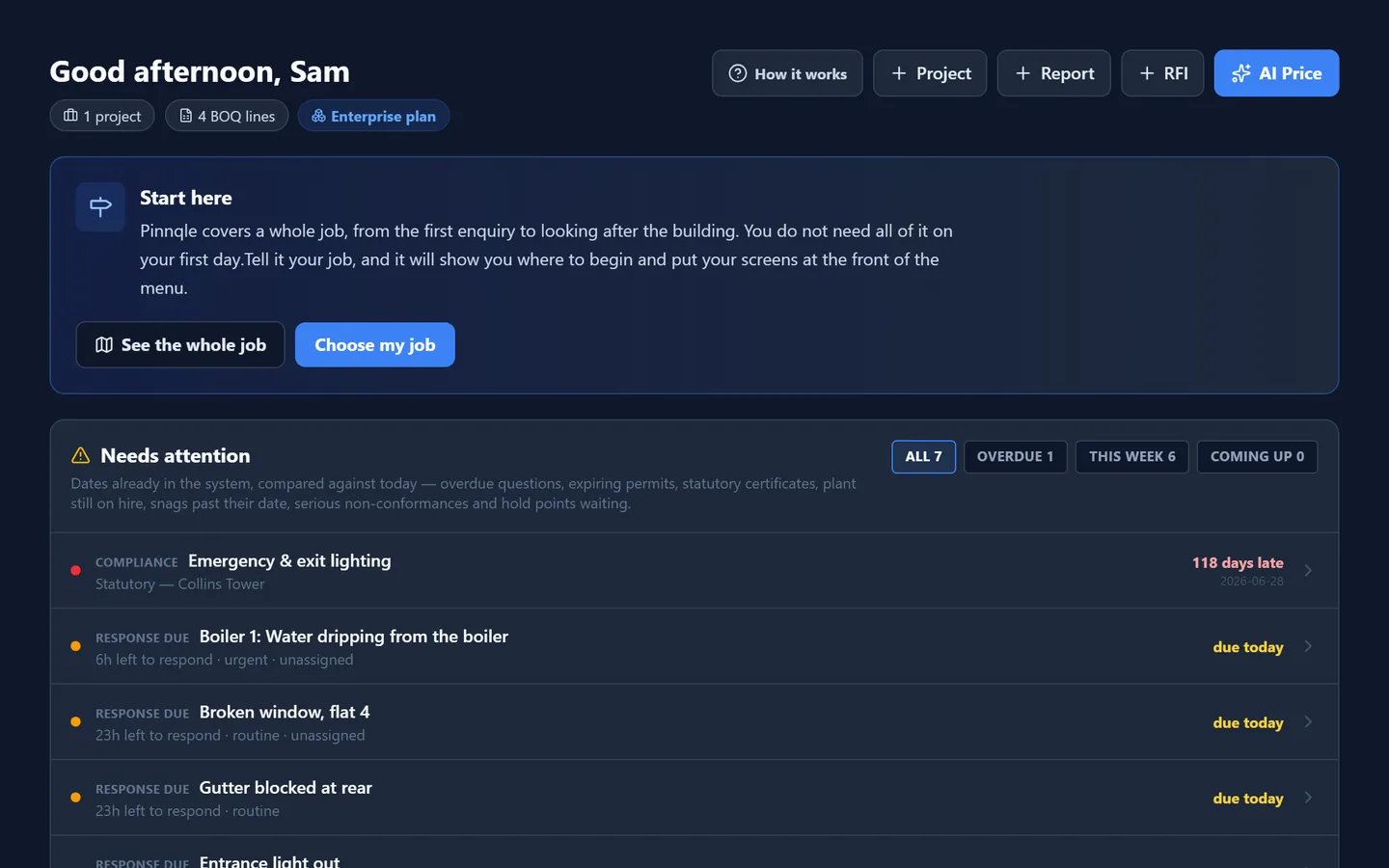
OverviewThe Overview is where every day starts. It is the whole company on one screen: how many jobs are live, what they are worth, what is overdue, where the money stands and what has been happening on site.
Inbox & Comm.The Inbox brings your email into Pinnqle. You can read what has come in, reply, write a new message, attach a file, and ask the AI writer to draft an email for you.
Team & PayrollTeam and Payroll is the home of your workforce. Everybody who works for you is listed here: their trade, how they are paid, which site they are on, and the tickets and cards they hold.
TimesheetsTimesheets is where hours become pay, and where pay becomes cost on a job. For each person you see the hours they have worked this period, what that comes to, and a button to mark it paid.
StaffStaff is where you decide who can log in to Pinnqle and what each of them is allowed to see. Every login is listed here with its role. You invite people, choose their role, tick the screens a worker may open, send a password reset, and remove people when they leave.
Construction SOPsConstruction SOPs is a set of AI skills for tendering. SOP means standard operating procedure: the way a job should be done every time. You give a skill a tender document.
Help & TrainingHelp and Training is where you learn Pinnqle. It holds the written manual, which you can search or download as a PDF to give to your staff.
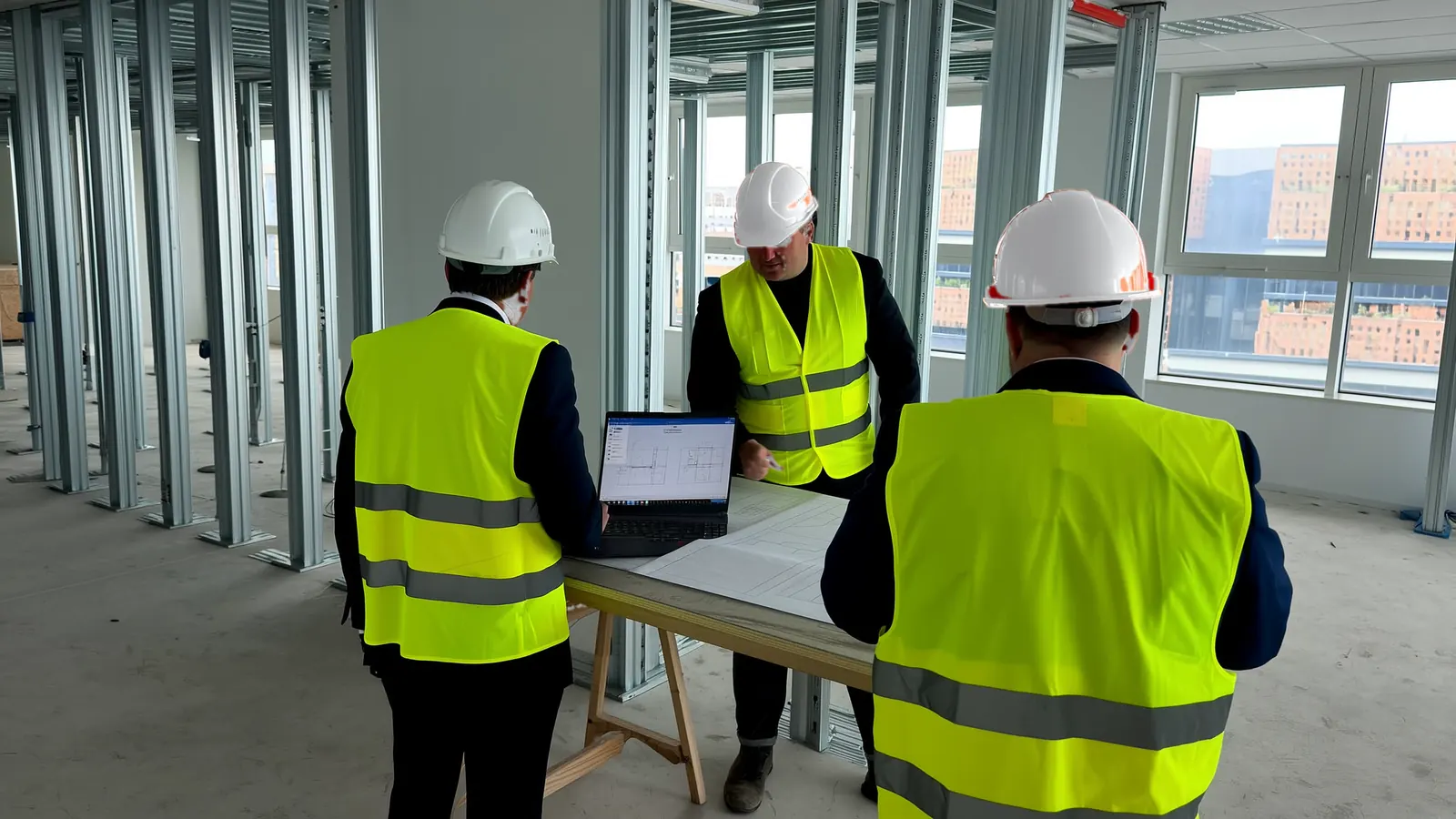
Run your live jobs on Pinnqle for two months, free.
We are taking a small number of contractors in Australia as pilot companies. You run real jobs on it; we do the setting up and listen to what you tell us.
- Two months free, on your own live jobs
- We load your jobs, clients and suppliers for you
- A check-in every week with the people building it
- Your people trained by video call